Do I need to create an account to scan a menu?
Yes — your profile stores the allergies and dietary settings that make every scan personal. Creating a free account takes under a minute and unlocks your first menu scans.
Set up your profile, capture the menu, and get clear safe / caution / unsafe results in seconds — so you can order with confidence.
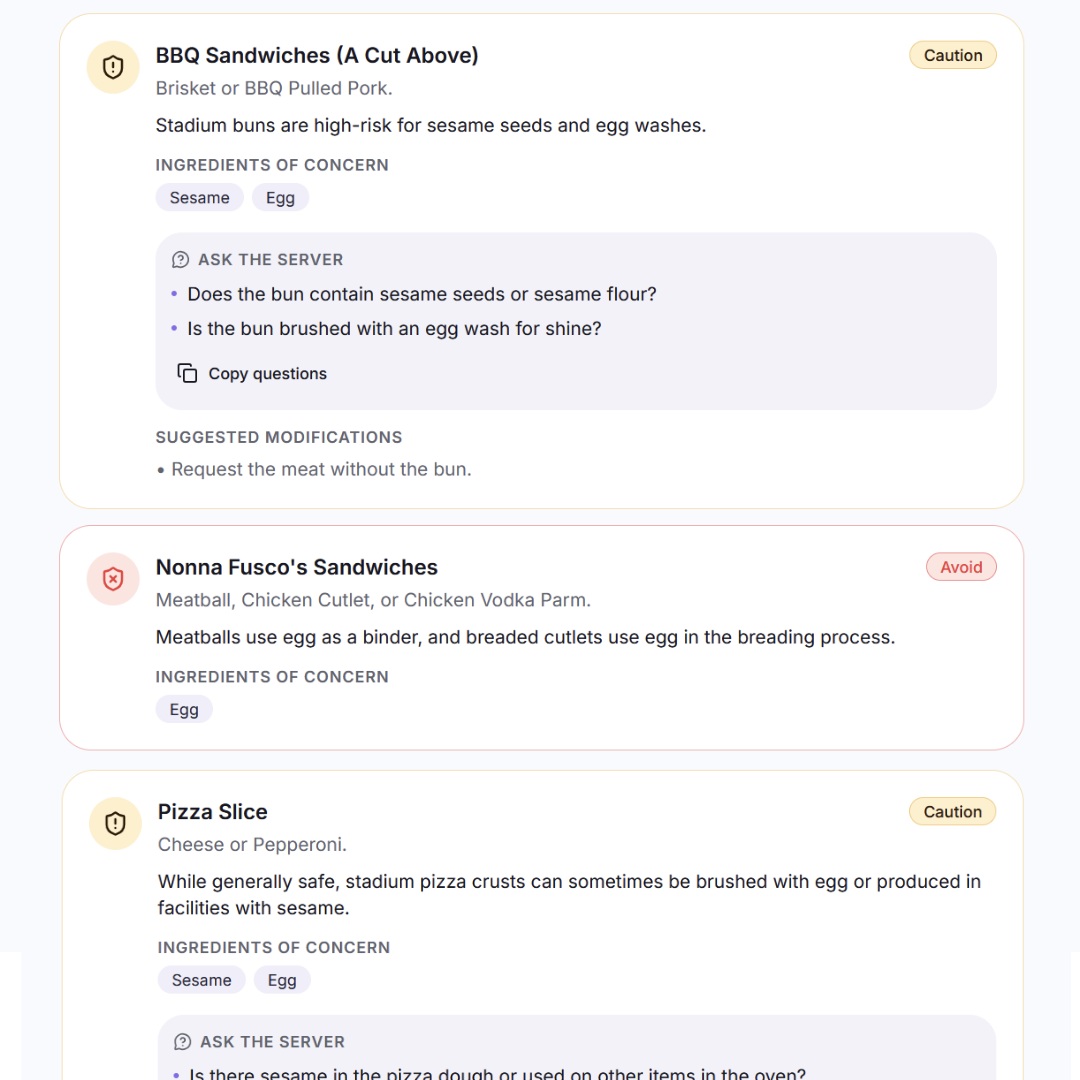
Dining out with a food allergy often starts with menu studying: squinting at tiny allergen charts, flipping between pages, and trying to remember every ingredient that could hurt you. It takes time, slows down your meal, and turns a relaxing night out into a stressful exam.
Worse, it is easy to miss something. A sauce you did not think to question, a shared fryer, a breadcrumb topping hidden under cheese — the risks are everywhere. When every order feels like a chore, dining out stops being enjoyable.
Stuff I Can Eat replaces menu studying with a fast, personalized menu scan. In seconds, the app checks the dishes against your unique allergy and dietary profile and tells you what is safe, what needs a closer look, and exactly what to ask your server.
Your profile is the foundation of every scan. Add the allergens you need to avoid — peanuts, tree nuts, dairy, eggs, wheat, soy, sesame, shellfish, fish, or any other ingredient — and note whether you have Celiac disease or an intolerance.
You can also mark severity and cross-contact sensitivity. A mild intolerance and a severe allergy get treated differently, so the app knows when to flag a dish as unsafe versus simply worth double-checking.
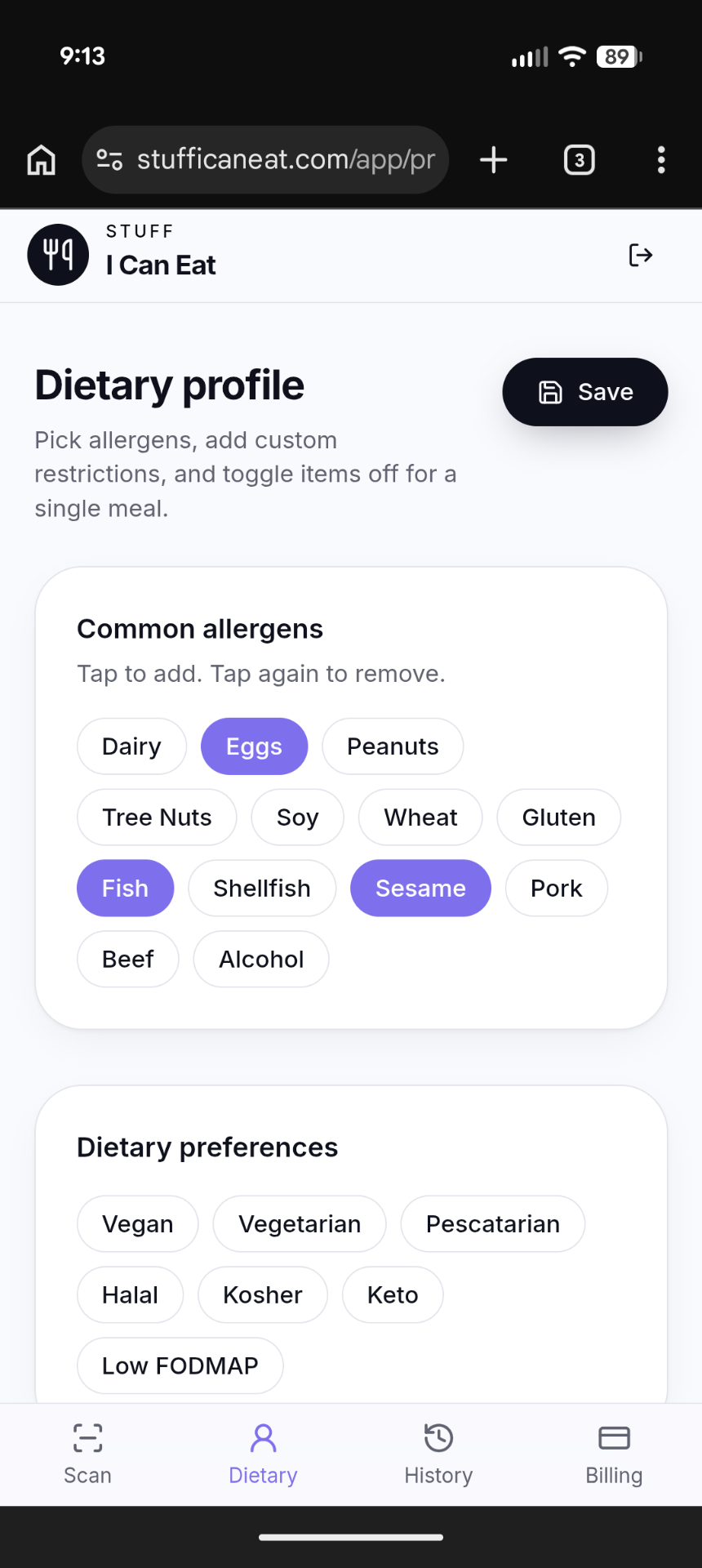
Tip: keep your profile current.
If a new allergy is diagnosed or a child outgrows one, update the profile before your next scan so every result stays accurate.
Once your profile is ready, open the menu scanner. You have three ways to feed a menu into Stuff I Can Eat:
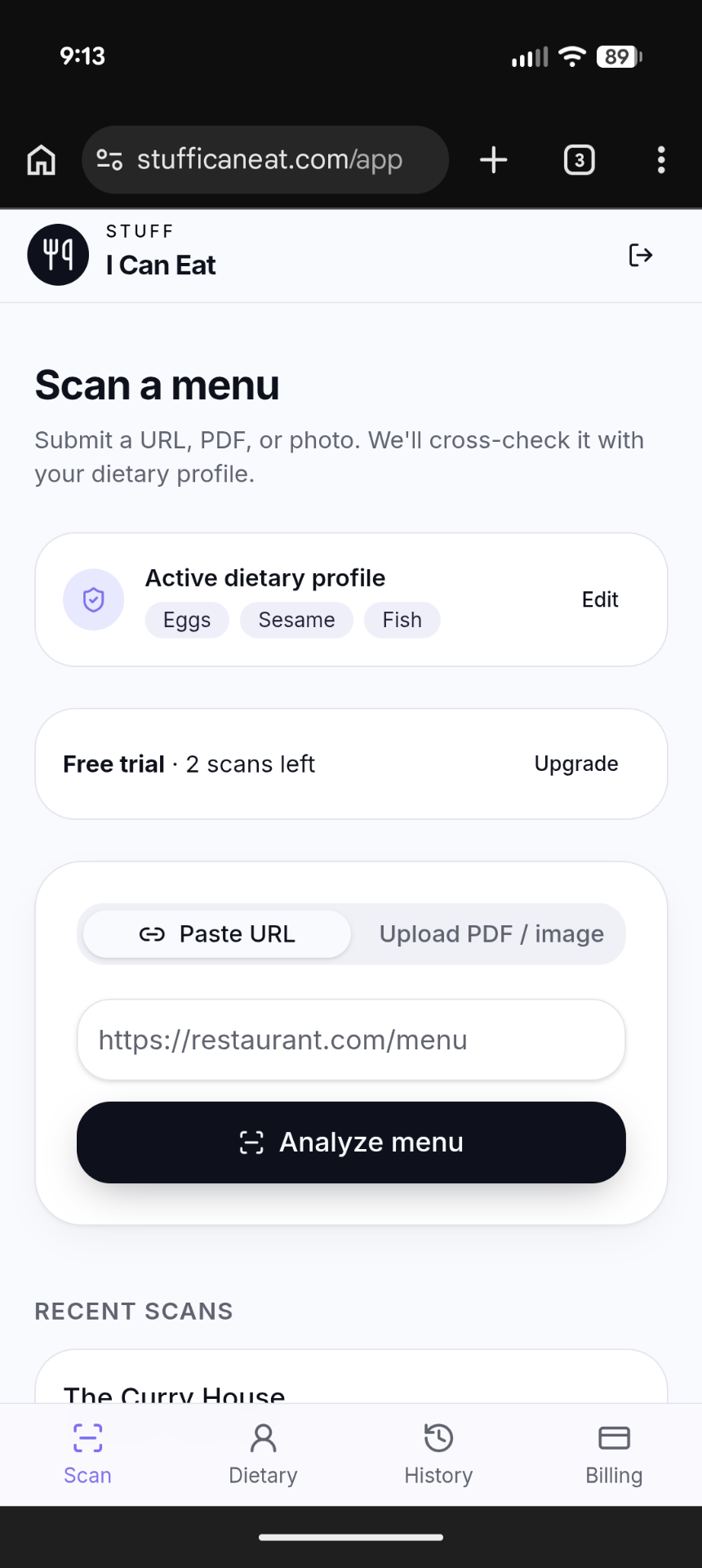
The scanner extracts dishes, ingredients, and allergen mentions, then compares them against your profile. It works on typed menus, photographed chalkboards, and most digital menu pages.
After a few seconds, you see a color-coded breakdown. Safe items are flagged in green, caution items in amber, and unsafe items in red. Each result explains why it landed in that category.
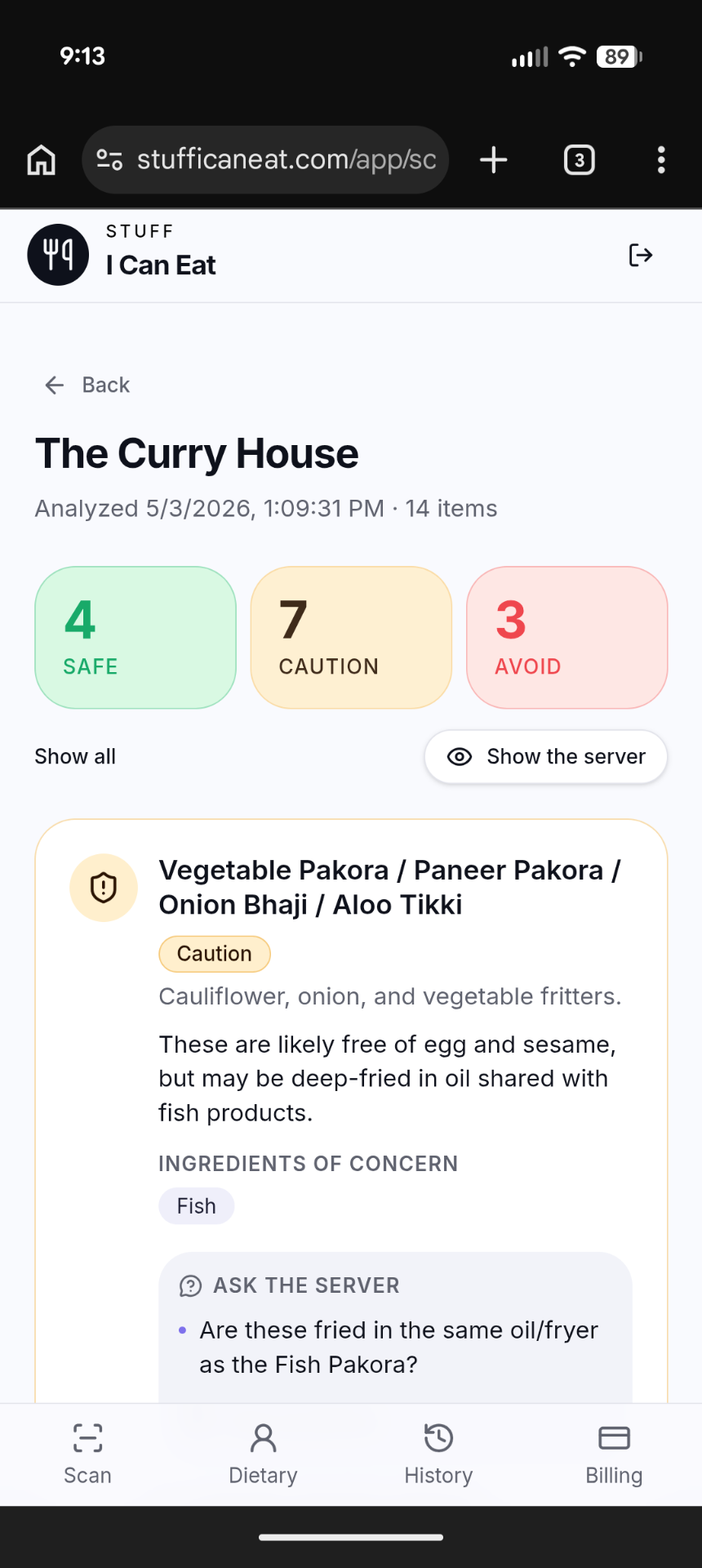
For caution or borderline dishes, the app suggests specific questions to ask your server. These are tailored to the dish and your profile, so you are never left guessing.
A scanner is your starting point, not a guarantee.
Always confirm cross-contact practices and last-minute ingredient changes with the restaurant. Use the suggested questions as a checklist, not a replacement for speaking with staff.
Yes — your profile stores the allergies and dietary settings that make every scan personal. Creating a free account takes under a minute and unlocks your first menu scans.
The scanner handles paper menus photographed in the restaurant, uploaded PDFs, and most online menu links. Clear, well-lit photos and text-based PDFs give the best results.
The app matches ingredients and allergen mentions against the allergens and sensitivities in your profile. A dish is marked safe only when nothing in it conflicts with your settings. Caution flags appear when an ingredient might be present, is named ambiguously, or when cross-contact is likely.
Yes. Stuff I Can Eat can also scan ingredient labels and barcodes on packaged food. Learn more on our features page.
Create your free safety profile and scan your first restaurant menu in minutes. No credit card required.
More practical guides to help you eat safely and confidently.

A practical, encouraging roadmap for adults and teens adjusting to a new food allergy diagnosis — from building an action plan to finding your community.

Expert answers on food allergy symptoms, medical testing options, and how to spot the most common triggers — so you can protect yourself and the people you love.

Understanding how your body reacts to food is the first step to staying safe at the table — plus where celiac disease fits in.